
Porthole
Your Mac, in your pocket.
Private Screen Sharing for Mac, on iPhone and iPad. Built to feel like the app Apple never made.
App Store privacy label: Data Not Collected
Features
Everything you'd do at your desk.
Every Mac key.
esc, tab, ⌃, ⌥, ⌘ and the arrow keys sit right above the keyboard. Tap a key once for the next keystroke, or twice to lock it.

Your files, right here.
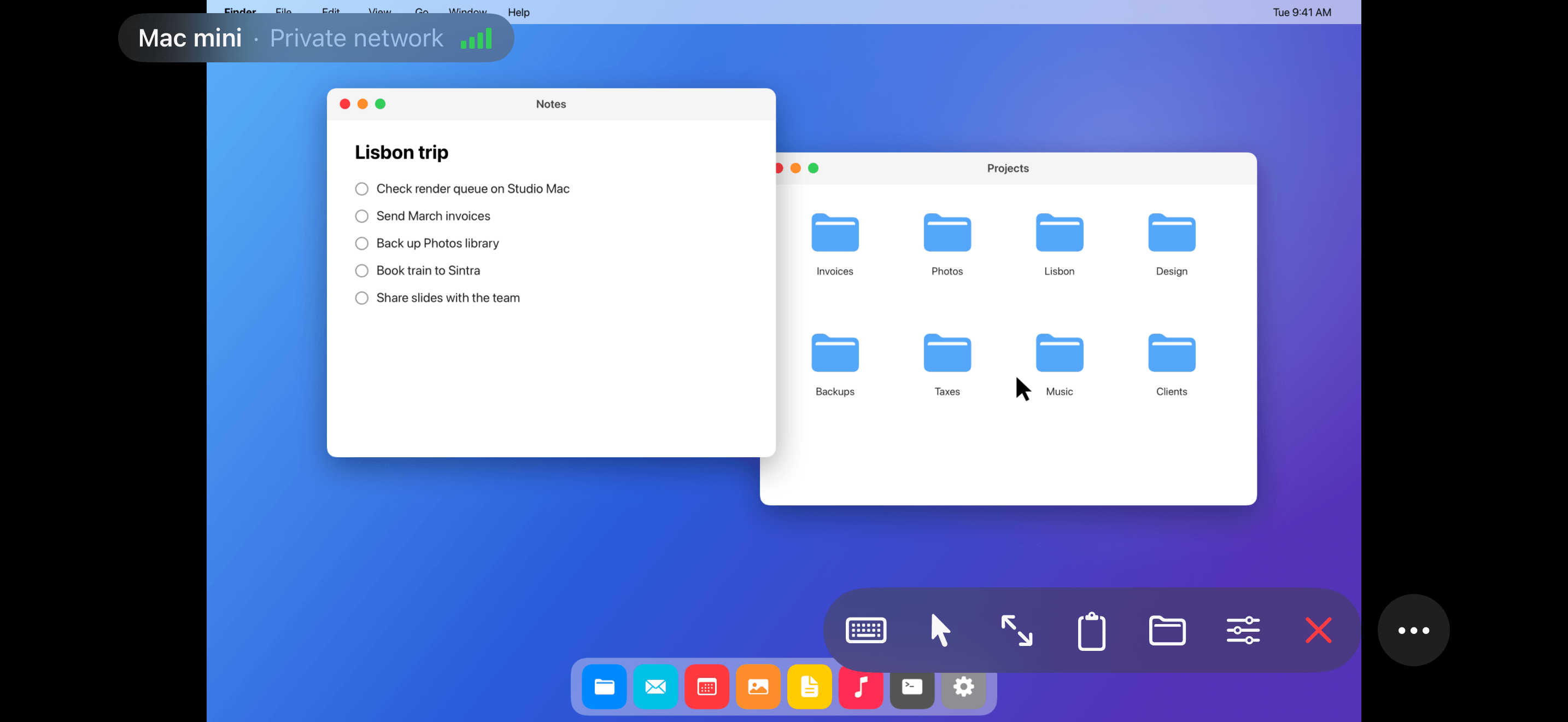
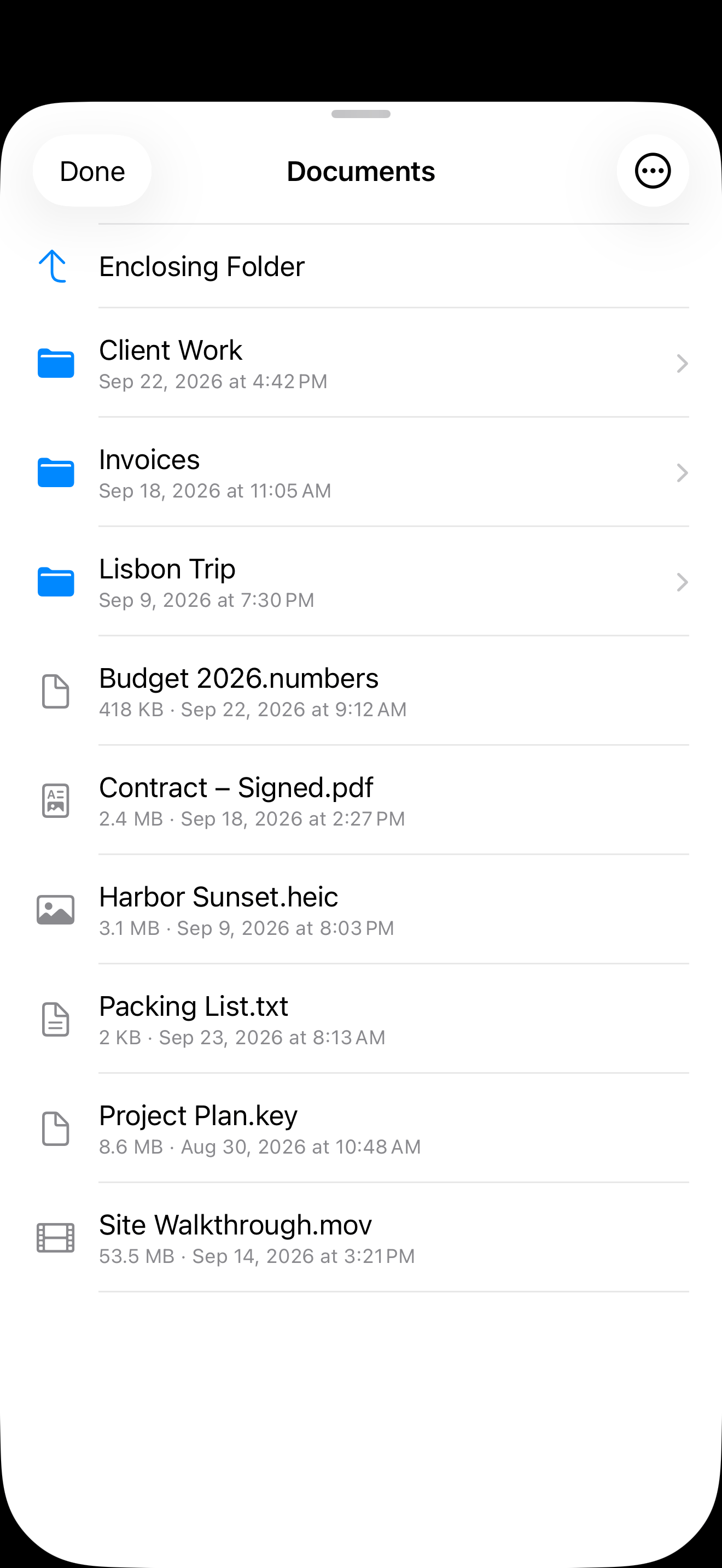
Browse the folders on your Mac, save any file to your iPhone, and send files from your iPhone to your Mac.
Trackpad or touch.
Move the pointer like a MacBook trackpad, or switch to Direct Touch and tap exactly where you want to click.

Copy here, paste there.
Paste what you copied on your iPhone straight into your Mac, or type a password from your password app. Copy, Cut, Paste and Undo on the Mac are one tap away.
Finds your Macs.
Macs with Screen Sharing turned on show up on their own when you're on the same network. Add one with a tap.
Made for Dark Mode.
Every screen follows your iPhone's appearance. Sessions always use dark controls so they stay out of your way.
And much more.
More than one display.
See all of your Mac’s displays at once, or pick one to fill your screen. Porthole remembers your choice for each Mac.
On the big screen.
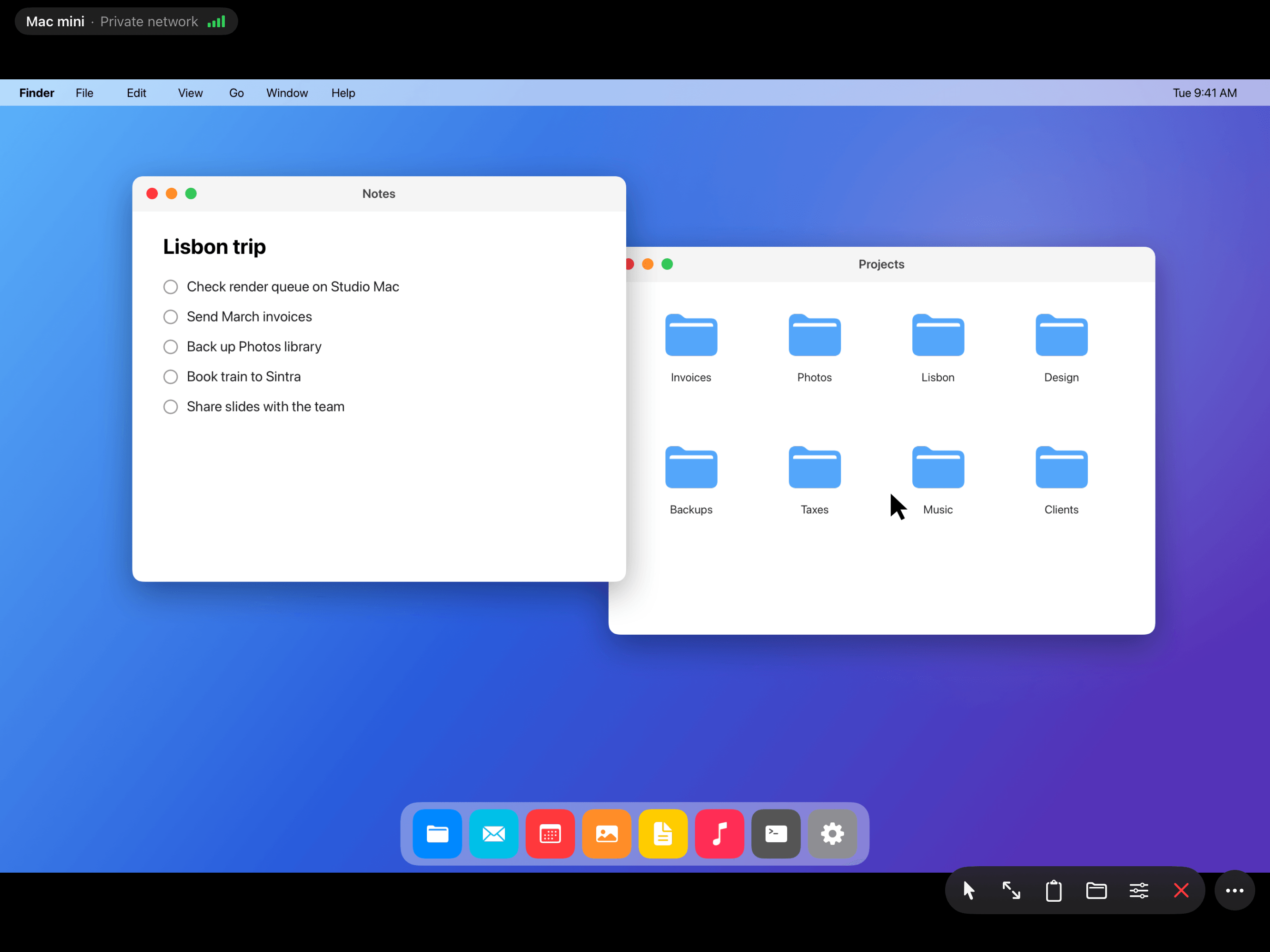
Connect a monitor or TV, and your Mac fills it while your iPhone or iPad becomes the trackpad.
The ⌘ menu.
Copy, Paste, Undo, Spotlight, Mission Control and more, one tap away.
The whole keyboard.
F1–F12, Delete, Home, End, Page Up and Page Down, and full support for hardware keyboards, mice and trackpads on iPad.
Gestures you know.
Two fingers to right-click and scroll, pinch to zoom, three-finger Mac gestures, and Apple Pencil on iPad.
Tap to Drag.
Tap, then touch again and slide to drag, like on a Mac trackpad. Turn it on in Settings.
Keeps the screen on.
Your iPhone or iPad won’t lock and drop the session while you watch your Mac. It locks as usual after 10 minutes without a touch.
Stays connected.
Automatic quality adapts to your connection, signal bars show how it’s doing, and Porthole reconnects on its own when you come back.
Siri, widgets and Control Center.
“Connect to Mac mini with Porthole” with Siri, Shortcuts or Spotlight, or from a widget or Control Center.
Your Macs, on every device.
Your list of Macs syncs through iCloud to your other iPhone and iPad. Passwords never do.
Locked with Face ID.
Face ID or Touch ID protects Porthole when you open it, and your Mac’s screen never appears in the app switcher.
In your language.
Dynamic Type, and 9 languages: English, Spanish, German, French, Japanese, Chinese, Portuguese, Italian and Korean.
Privacy
No account.No cloud relay.No analytics.Just you and your Mac.
Connect over your home network, or from anywhere through your own VPN or an SSH tunnel. Your screen goes straight from your Mac to you. Passwords you choose to save stay on this device and are never backed up or synced.
App Store privacy label
Data Not Collected.
Porthole’s privacy label on the App Store says it plainly:
“The developer does not collect any data from this app.”
Nothing to install on your Mac.
Many remote-desktop apps put their own software on your Mac, with permission to record your screen and control your keyboard and mouse. Porthole uses the Screen Sharing built into macOS.
No company in between.
Many also connect you through their own servers and ask you to create an account. Porthole connects straight to your Mac, over your own network, your own VPN or an SSH tunnel.
Nothing sent to us.
No analytics, no advertising and no crash reporting service. We don’t run servers that your data could pass through.
Even better on iPad.
Connect a keyboard and trackpad, and it feels like sitting at your Mac.

iPhone Duo
Opens like a laptop.
Open your iPhone Duo halfway, and your Mac stands upright above the fold while the bottom half becomes a trackpad. Bring up the keyboard and it stays below the fold with the Mac keys, so your whole Mac stays in view.
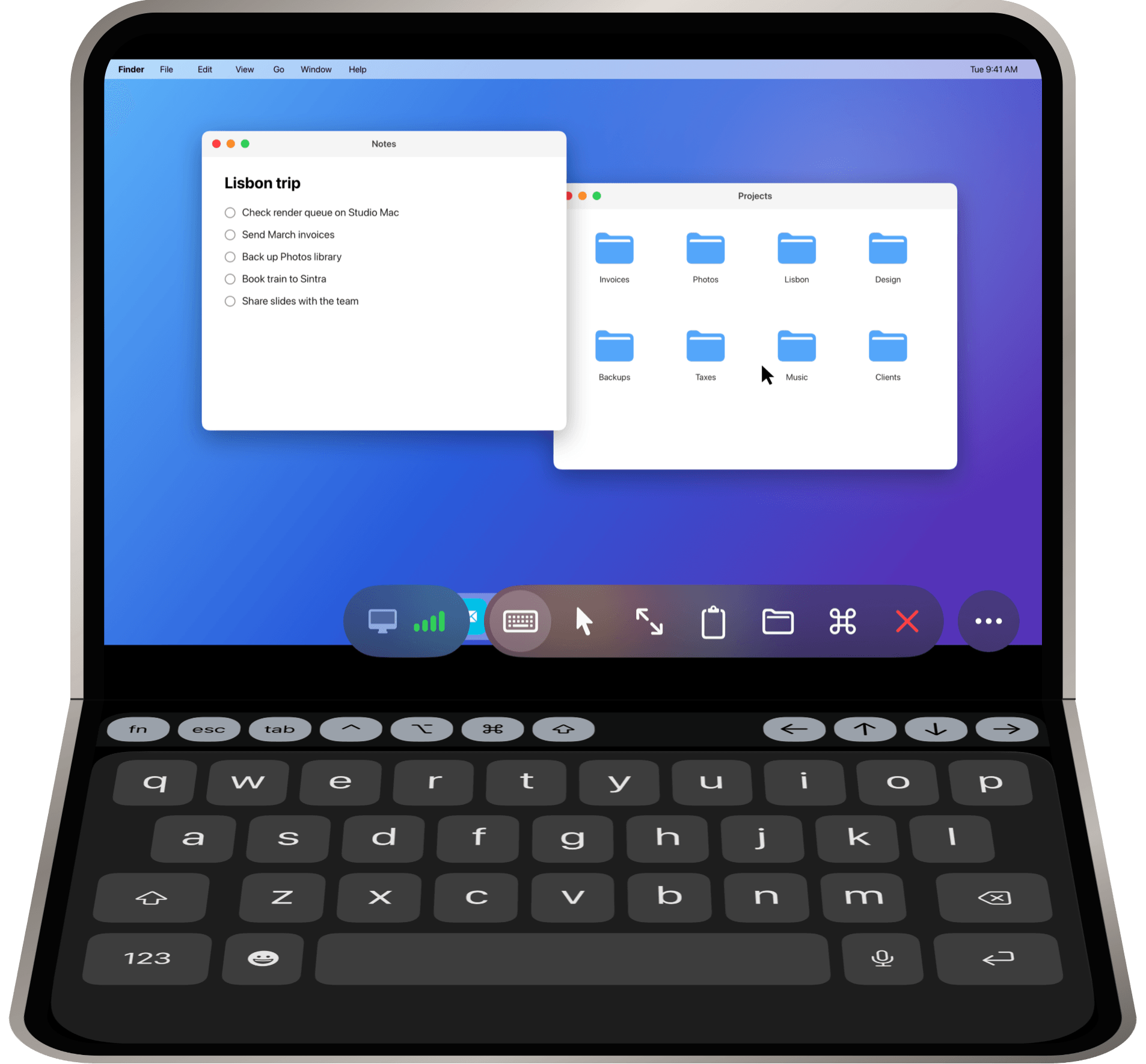
A trackpad below the fold.
Move the pointer, click and scroll on the bottom half, just like on a MacBook.
Never across the crease.
Zoom in as far as you like: your Mac’s picture stops at the fold.
Sideways, it’s all Mac.
Turn it like a book, and your Mac fills the whole inner screen.
Setup
Ready in minutes.
Porthole walks you through it, one step at a time.
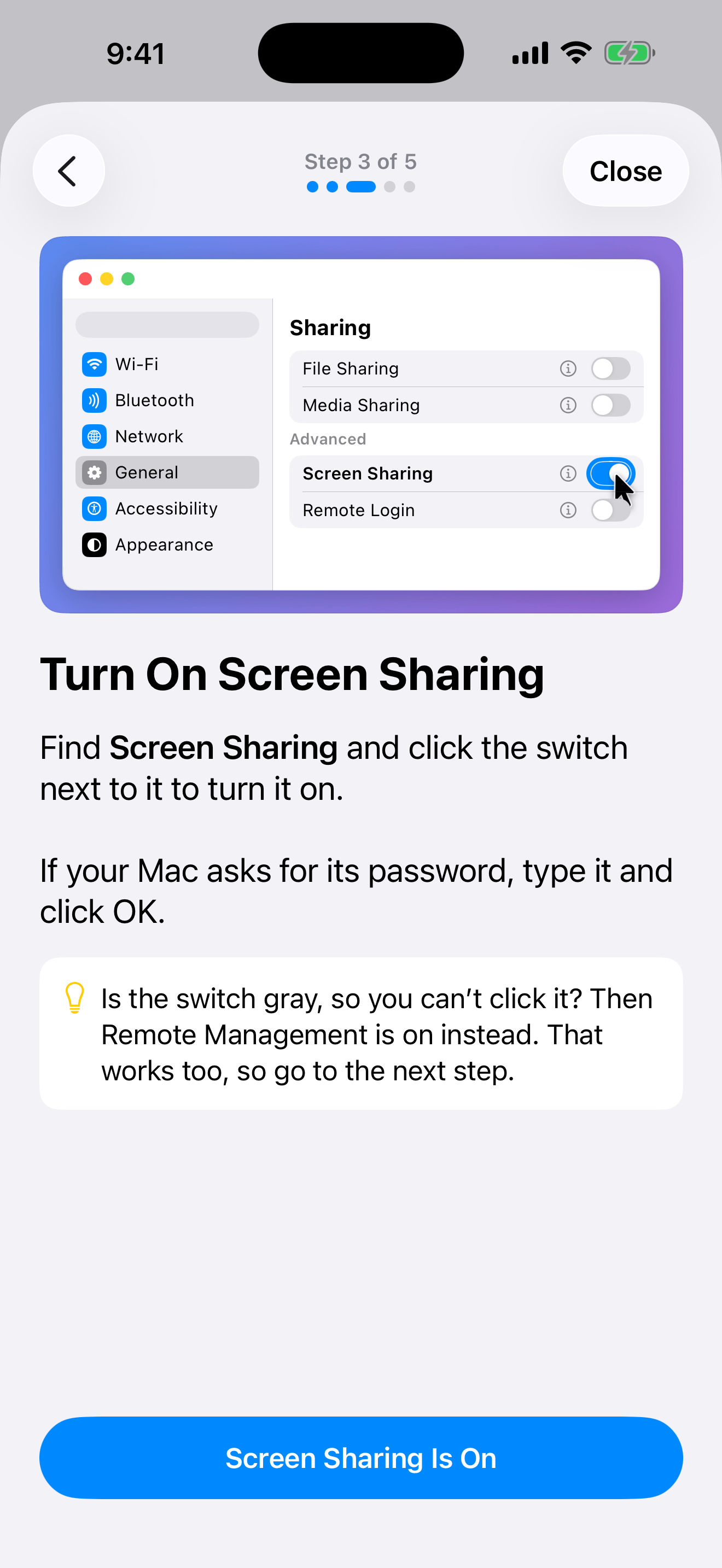
Turn on Screen Sharing
On your Mac, open System Settings, go to General › Sharing, and switch on Screen Sharing.
Add your Mac
Macs on your network appear in Porthole on their own. Connect once at home, and Porthole remembers how to reach your Mac through your VPN when you’re away.
Sign in
Use the name and password of an account on your Mac, just like Screen Sharing on a Mac.
Questions
Good to know.
What is Porthole?
Porthole is a private remote desktop app for your Mac. It lets you see and control your Mac from your iPhone or iPad, using the Screen Sharing built into macOS.
Is Porthole a VNC client?
Yes. It speaks VNC, the protocol behind macOS Screen Sharing, and signs in with the name and password of an account on your Mac.
Do I need to install anything on my Mac?
No. Turn on Screen Sharing in System Settings › General › Sharing, and Porthole does the rest.
Is there a subscription?
No. Porthole is free to download, and every feature is free for 7 days. After that, $9.99 once unlocks it for good.
Does it work away from home?
Yes, through your own VPN, such as WireGuard on your home router or Tailscale, or through an SSH tunnel. Porthole won’t connect to a public IP address, so your screen isn’t sent across the internet unprotected. How to reach your Mac from anywhere ›
Which Macs and iPhones does it work with?
Any Mac with Screen Sharing turned on, including Mac mini, MacBook Air, MacBook Pro, iMac and Mac Studio. On your side, an iPhone or iPad with iOS 18 or later, including iPhone Duo.
Does Porthole work on iPhone Duo?
Yes, from Porthole 1.3. Open iPhone Duo, Apple’s foldable iPhone, halfway like a laptop: your Mac sits above the fold with a trackpad below, and the keyboard and Mac keys stay below the fold too. Turn it sideways, and your Mac fills the whole inner screen. See it on iPhone Duo ›
Does Porthole collect my data?
No. Its App Store privacy label says Data Not Collected. There’s no account, no analytics and no server of ours between you and your Mac.
$9.99. Once.
Try every feature free for 7 days first. No subscription. No account.

Requires iOS 18 or later. Your Mac needs Screen Sharing turned on.